Answer condition questions
Refer back to delivery photos and notes when a buyer raises a concern about the vehicle’s condition.
BUILT FOR INDEPENDENT USED-CAR DEALERS
When questions arise after delivery, have a clear record of the handoff.
Keep vehicle photos, mileage, condition notes, and buyer signatures together—so your team can review what was documented when the car left your lot.
14 days or 5 completed deliveries · No credit card to register
One handoff. One organized record.
PREVIEW BEFORE YOU SIGN UP
Explore the four-step walkthrough and visual guide. No account needed.
Built from hands-on delivery experience at KARTECH in Los Angeles.
WHY YOUR NEXT HANDOFF NEEDS A RECORD
Refer back to delivery photos and notes when a buyer raises a concern about the vehicle’s condition.
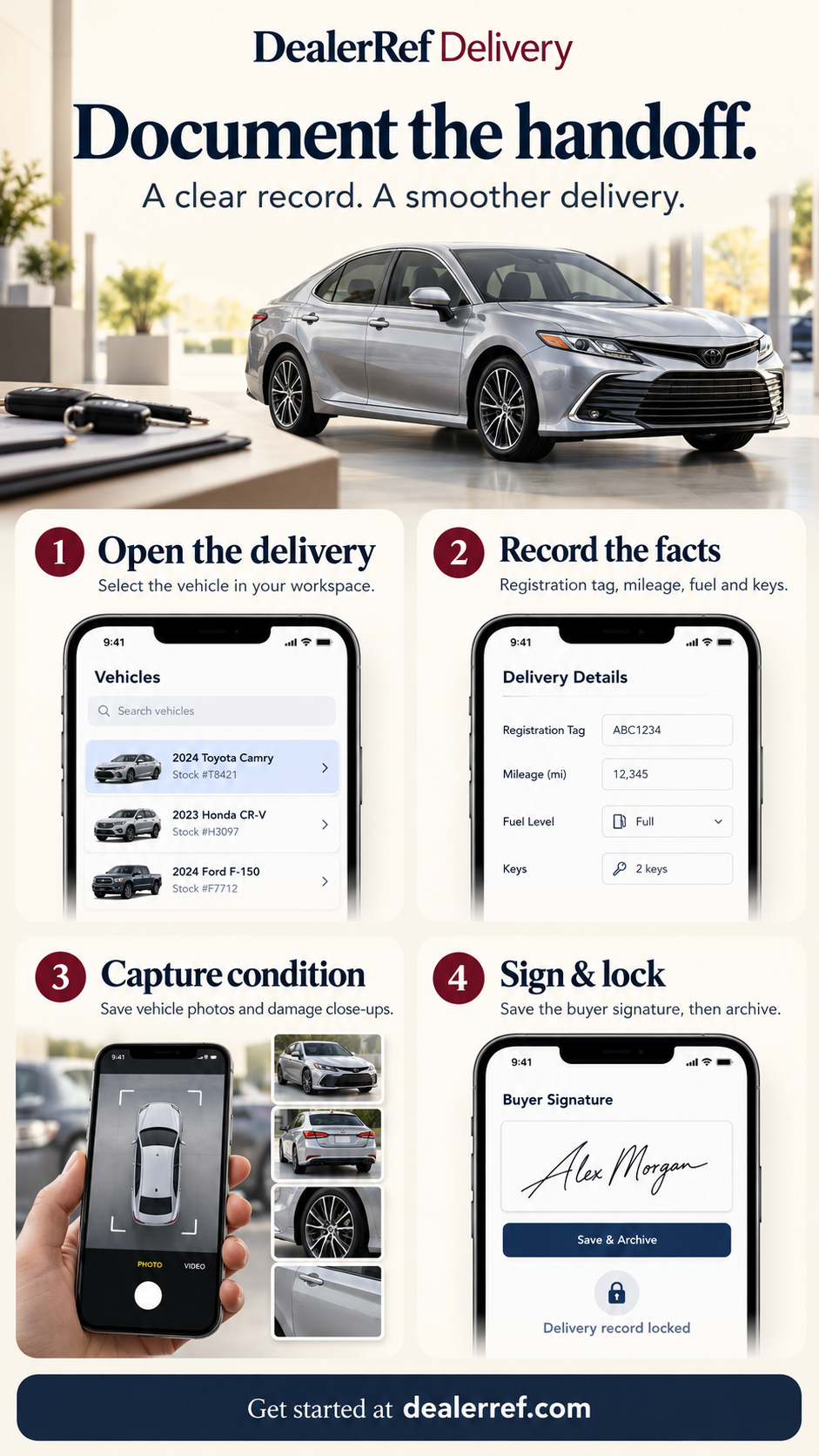
Find the photos, mileage, notes, and acknowledgment in one vehicle record instead of piecing them together later.
Follow the same capture, review, and acknowledgment steps for each delivery.
A SIMPLE DELIVERY ROUTINE
Prepare the vehicle details, add condition photos and notes, collect buyer acknowledgment, then finalize the delivery record.
Explore dealer plansALSO FROM DEALERREF · BUYER CARE PILOT
Organize service history, receipts, registration, insurance, and warranty documents for up to three vehicles.
BEFORE YOU GET STARTED
Independent used-car dealerships that want a consistent record of vehicle condition at delivery and return. If you operate a rental business, fleet, or franchise dealership, contact us to discuss whether the current workflow fits your operation.
Dealer delivery documentation brings together vehicle details, condition photos, mileage, notes, buyer acknowledgment, and a finalized report. Automated AI damage detection and delivery-to-return comparison are in development and are not included as active features.
Try the dealer workflow for 14 days or 5 completed deliveries, whichever comes first. No credit card is required to register. Drafts do not count as completed deliveries.
DealerRef focuses on delivery and return documentation. Keep using your existing systems for inventory, financing, and accounting.
No. A delivery record helps you review and explain what was documented at handoff. It does not guarantee a legal, insurance, chargeback, or arbitration outcome.
Buyer Care is DealerRef’s separate car-owner experience for organizing vehicle paperwork, service history, and ownership expenses. It is currently available for controlled pilot testing.
START WITH YOUR NEXT DELIVERY
Try the dealer documentation workflow with your team.